Is Online OCR Safe? A Privacy Check
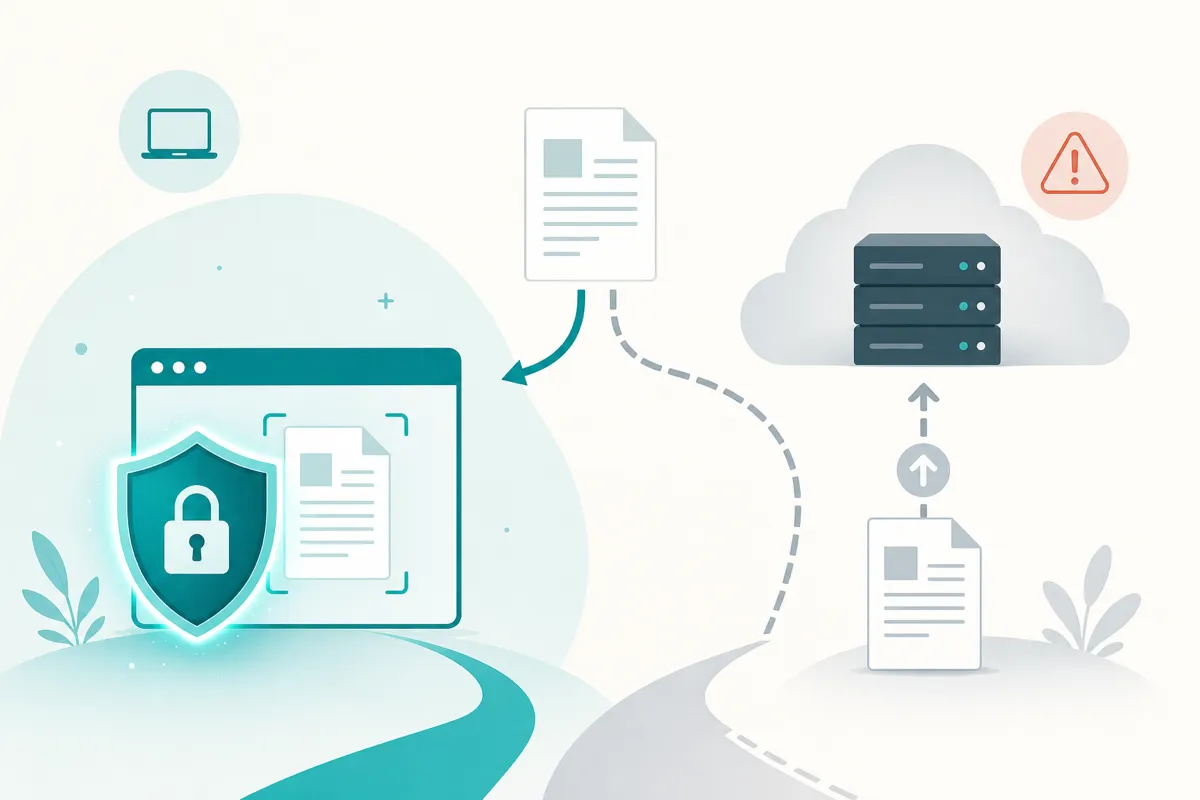
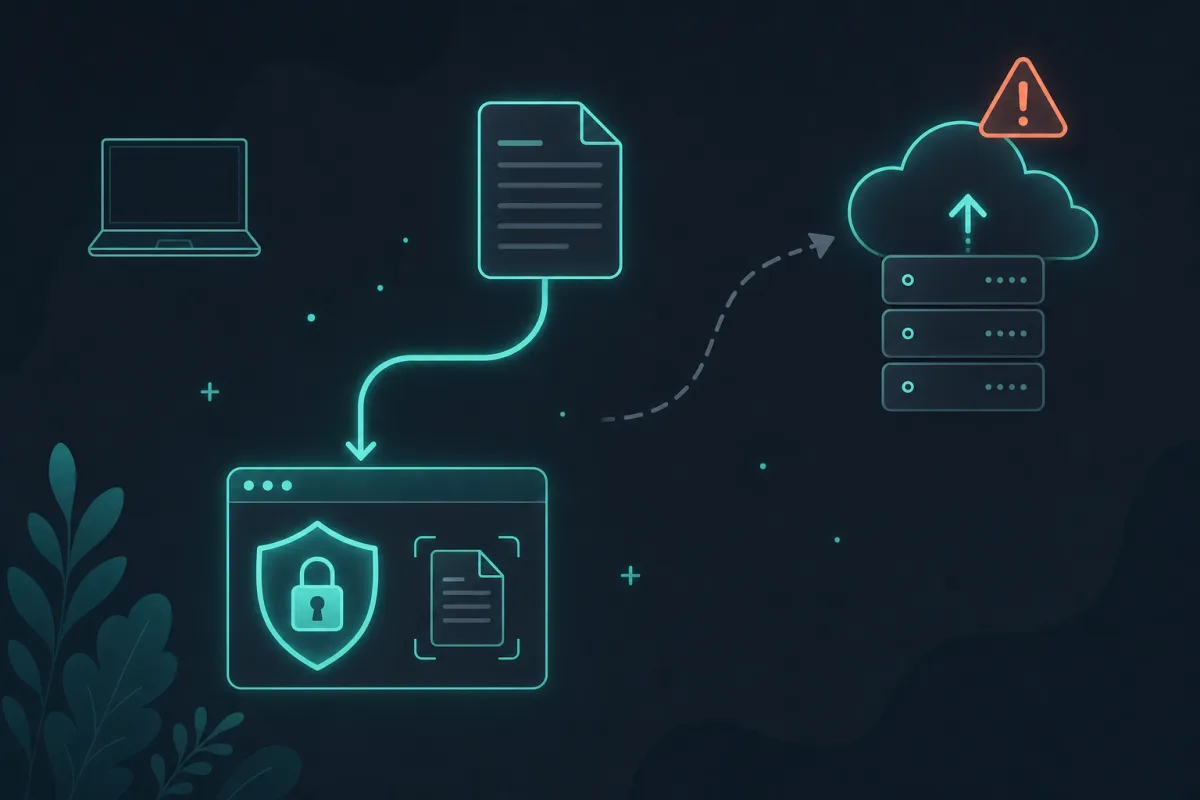
Online OCR is exactly as safe as its architecture, not its marketing. Upload-based tools send your file to a server first, where it sits until the provider’s policy says otherwise; on-device OCR, like SafeOCR’s, recognizes text inside your own browser and never transmits the image anywhere. That single distinction — a server round trip, or none — is the entire privacy story.
Type “OCR online” into a search engine and almost every result works the same way: you upload a picture of your document to someone else’s server, wait, and get text back. That round trip is invisible to most users, but it is the whole privacy story. The question worth asking before you drop in a photo of a passport, a pay stub, or an internal spreadsheet is simple: where does that image actually go, and who can see it once it is there?
What “upload-based” OCR really does
A typical cloud OCR service receives your file on its servers, decodes it, runs a recognition model, and sends the text back to your browser. Somewhere in that pipeline your image usually touches a temporary storage bucket, request logs, and — depending on the provider’s terms — possibly a dataset used to improve future models. Reputable services delete the file quickly and say so in their policy, but you are trusting a written promise, not a technical guarantee. And once a file has left your device, you have no way to verify what happened to it next — you only have the policy’s word for it.
This matters more than it sounds like at first. Screenshots and scans are full of things people would not intentionally publish: a customer’s address on a shipping label, a two-factor code in a text message, a client’s figures in an internal report, a child’s name on a school form. None of that is sensitive when it stays on your machine. All of it becomes a data-handling question the moment it is uploaded somewhere else. The same logic covers photos straight off a phone, which is where most people’s OCR use actually starts — see turning an iPhone photo into text for that specific case.
The alternative: recognition that never leaves your device
On-device OCR flips the architecture instead of trying to fix the trust problem after the fact. The recognition model — in SafeOCR’s case, the open-source PaddleOCR PP-OCRv6 engine, run through onnxruntime-web — downloads once to your browser and then runs entirely locally using WebAssembly, with WebGPU acceleration where the browser supports it. Your image is decoded in memory, read by the model, and turned into text, all inside the tab you already have open. There is no upload step to audit, because there is no upload step at all. The full mechanics of that pipeline — detection model, recognition model, and how they end up running in a browser tab at all — are covered in how browser-based OCR actually works.
You do not have to take that on faith, either. Open your browser’s network panel while using Extract Text from Image and you will see the one-time model download, and then silence — no request fires when you actually recognize an image. That verifiability is the point: “private” should be something you can check, not just a claim on a landing page.
What to check before trusting any “online” tool
Not every upload-based tool is careless, and not every “private” claim is accurate — plenty of landing pages say the word without meaning “processed on your device.” A few concrete things worth checking: does the privacy policy actually state what happens to the file (retention window, whether it is used for training, whether it is shared with a sub-processor), rather than a vague “we take security seriously”? Does the tool keep working with your network connection off — a reasonable proxy for whether recognition genuinely happens locally, since a real upload step cannot function offline? And does the site let you casually check its network activity while it runs, or does the flow make that awkward? A tool that is comfortable with that kind of scrutiny is telling you something different from one that would rather you did not look.
So, is online OCR safe?
It depends entirely on which kind you use. A well-run, upload-based service can be reasonably safe for low-sensitivity images if you trust its retention policy — for a wider survey of what “free” OCR options actually offer and where each falls short, see the best free OCR tools comparison. For anything you would hesitate to email a stranger, on-device OCR removes the question instead of answering it — your files simply never leave your device, so there is nothing for a server, a breach, or a policy change to expose.
Related tool
Extract Text from Image →